

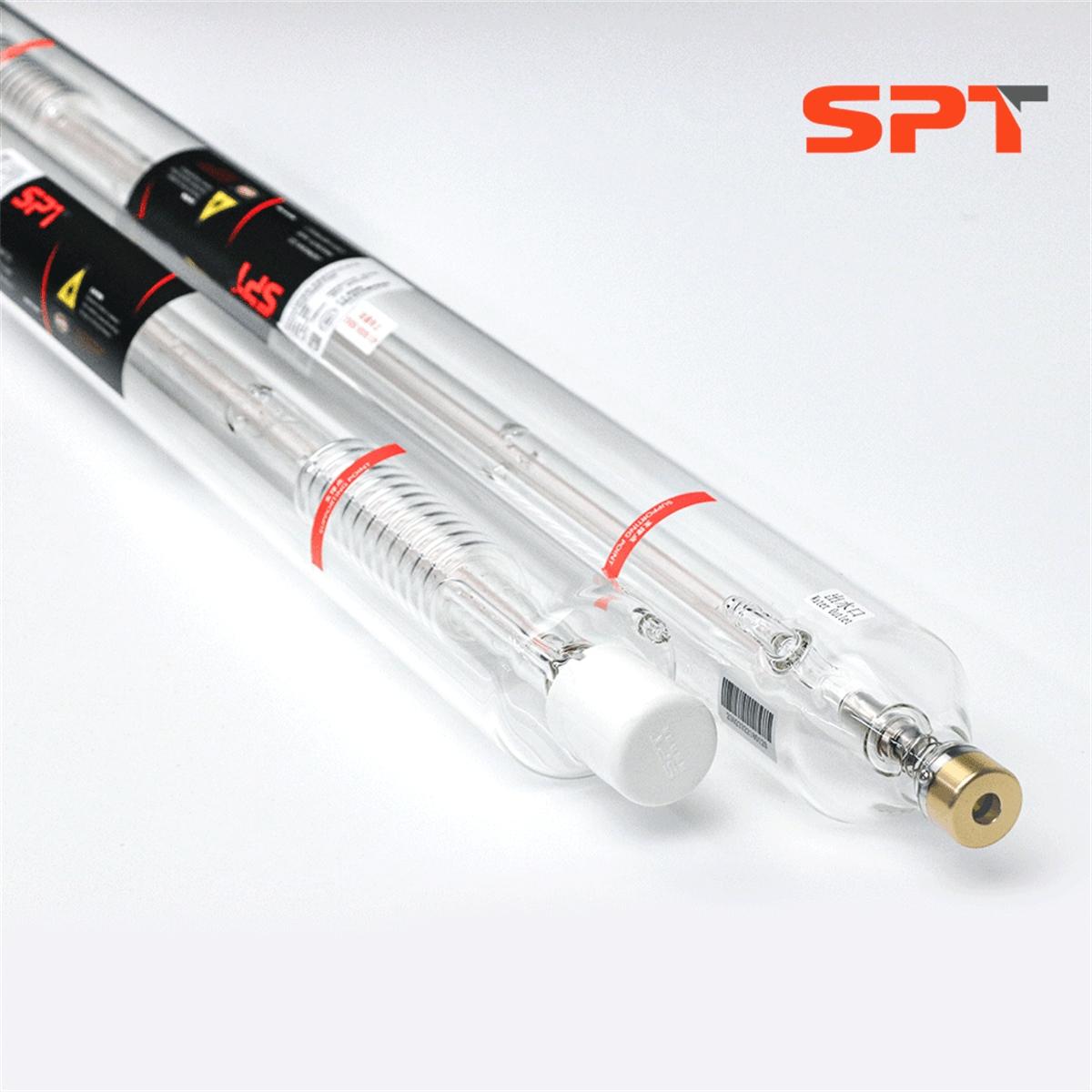
The T Series CO2 laser tubes adopt proven sealing technology. In order to ensure the consistency of the quality of laser tubes, strict scientific quality control is carried out from the firing of laser tube blanks to the catalytic coating, grinding of the resonator cavity, and high precision gas charging process. Each operational process has precise digital control.

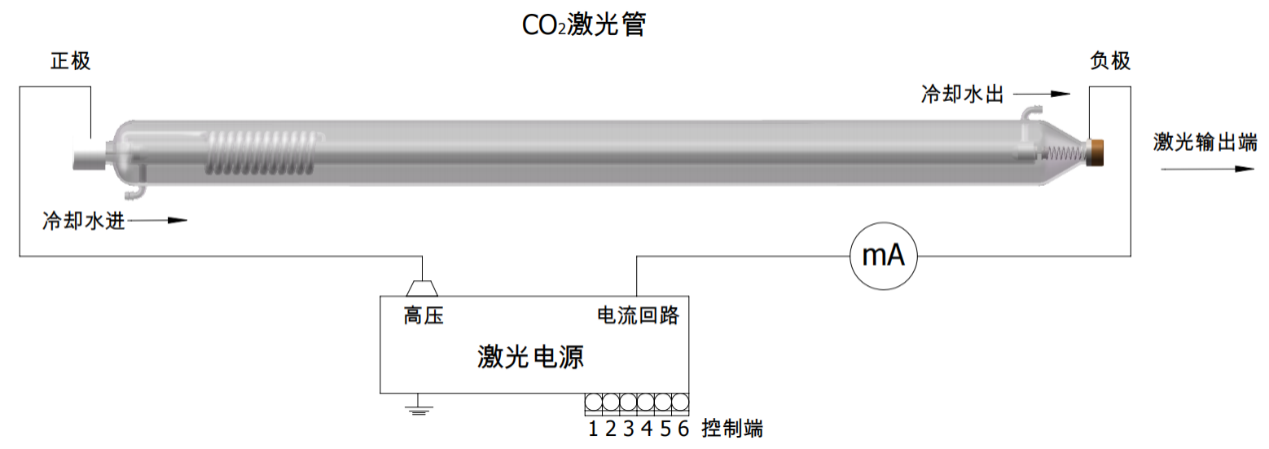
- CO2 Laser Tube Wiring Diagram -
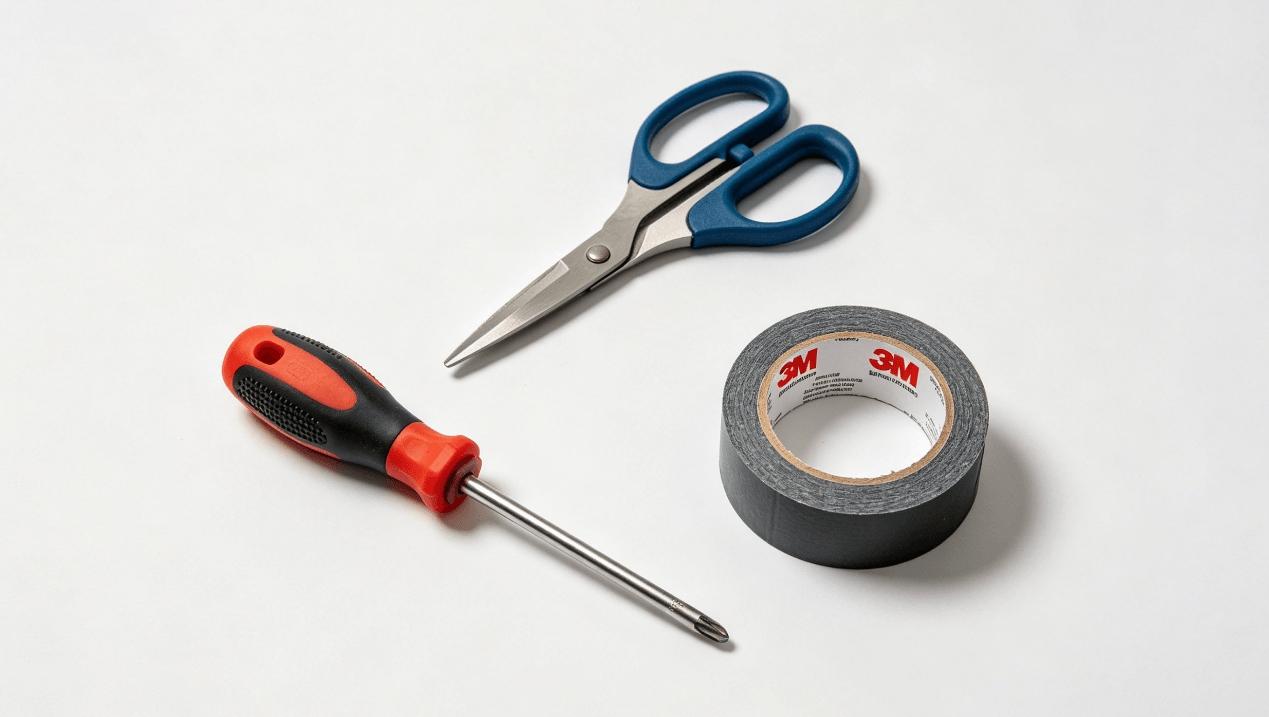
- Tools Required: Phillips screwdriver, scissors, electrical tape -
Step 1 | Installing the CO2 Laser Tube
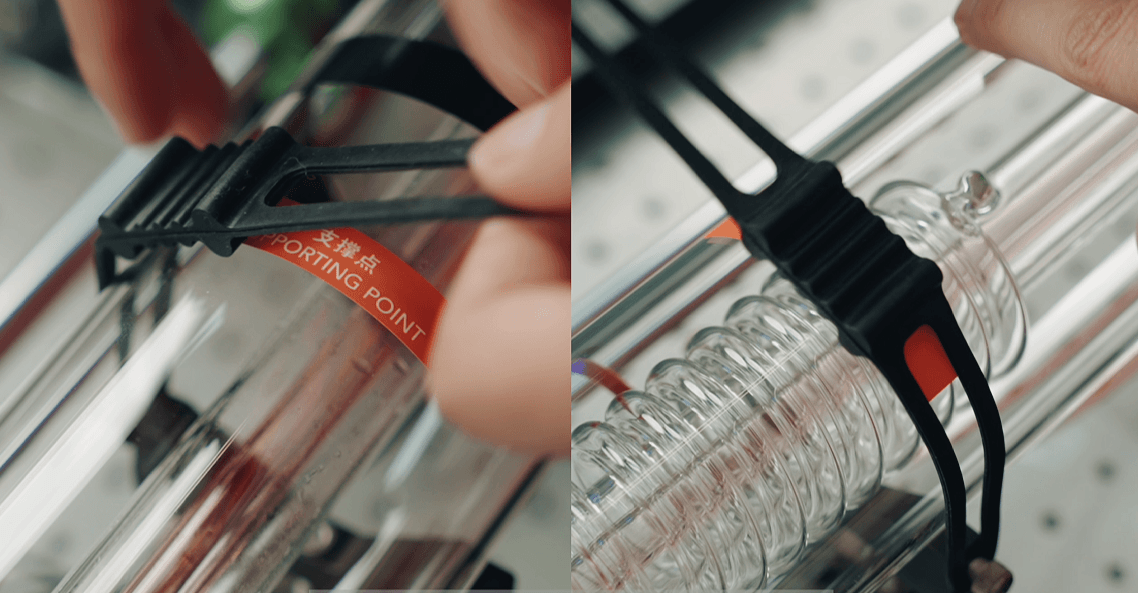
Carefully take the laser tube out of the outer packing box and place it on the holder of the machine.
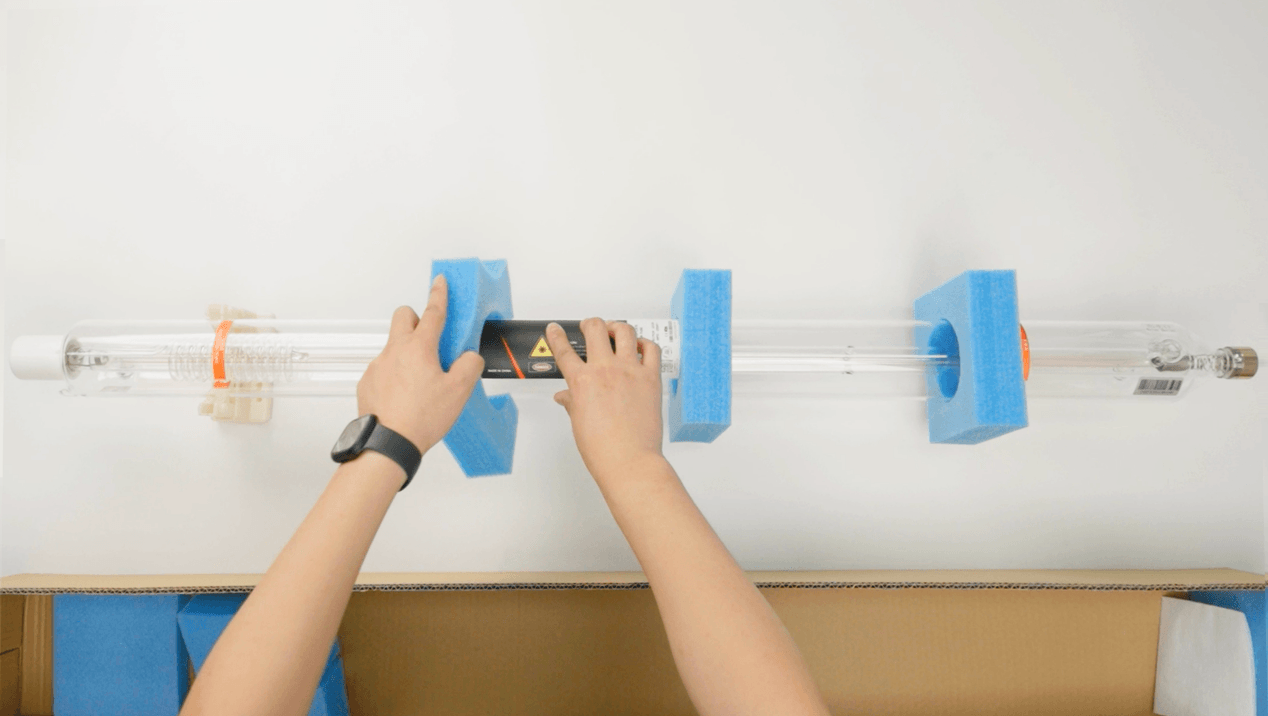
Please ensure that both support points are aligned with the mounting base, with the laser tube label facing upward. This ensures the best output performance. Then fix the CO2 laser tube to the base of the bracket with a fixing strap.
Step 2 | Connecting the Water Hoses
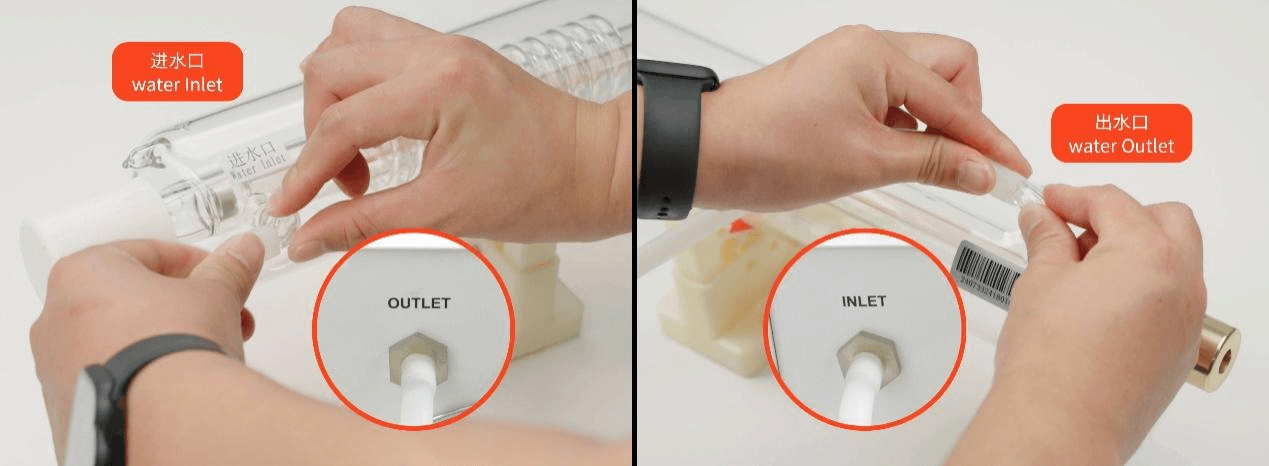
Connect the inlet and outlet hoses of the chiler to the two ends of the laser tube respectively.
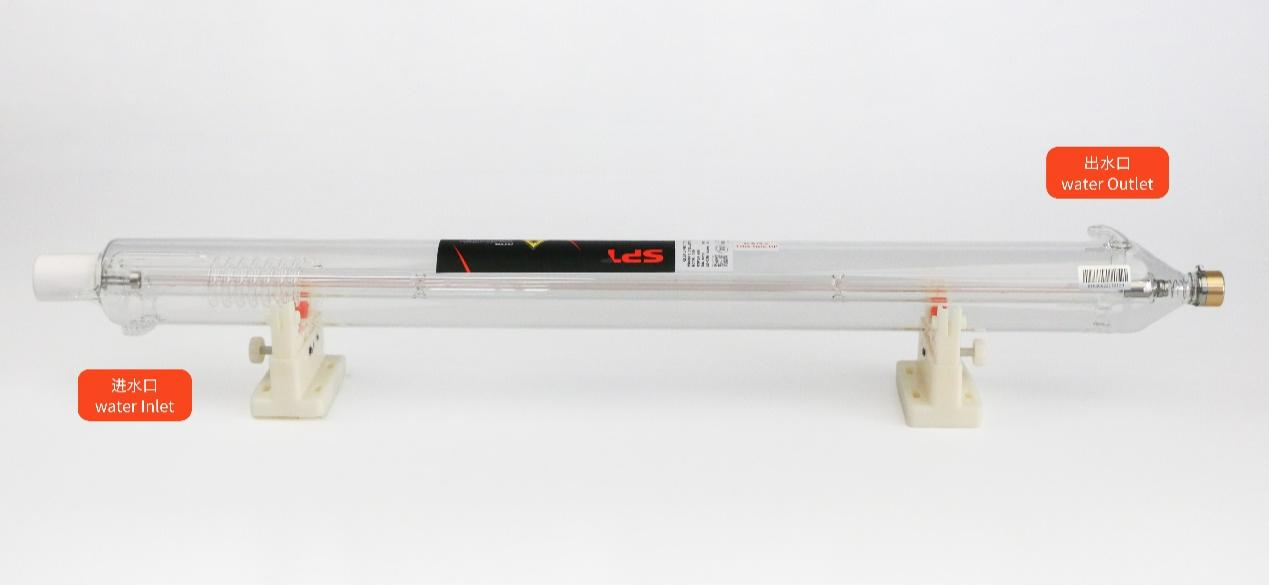
The water outlet of chiller connects the water inlet of the CO2 laser tube. The water inlet of chiller connercts the water outlet of the CO2 laser tube.
Step 3 | Connecting the Laser Tube to the Power Supply
Before doing any wiring, please make sure the equipment is completely powered off.
Choose a laser power supply that matches the wattage of your CO2 laser tube. Using the right power supply helps the CO2 laser tube respond faster and improves the performance of laser cutting, engraving and other applications.
-30W to 50W CO2 laser tubes: use a 50W laser power supply
-50W to 60W CO2 laser tubes: use a 60W laser power supply
-70W to 100W CO2 laser tubes: use a 100W laser power supply
-120W to 150W CO2 laser tubes: use a 150W laser power supply
For CO2 laser tubes above 150W, use a power supply with a higher wattage rating.
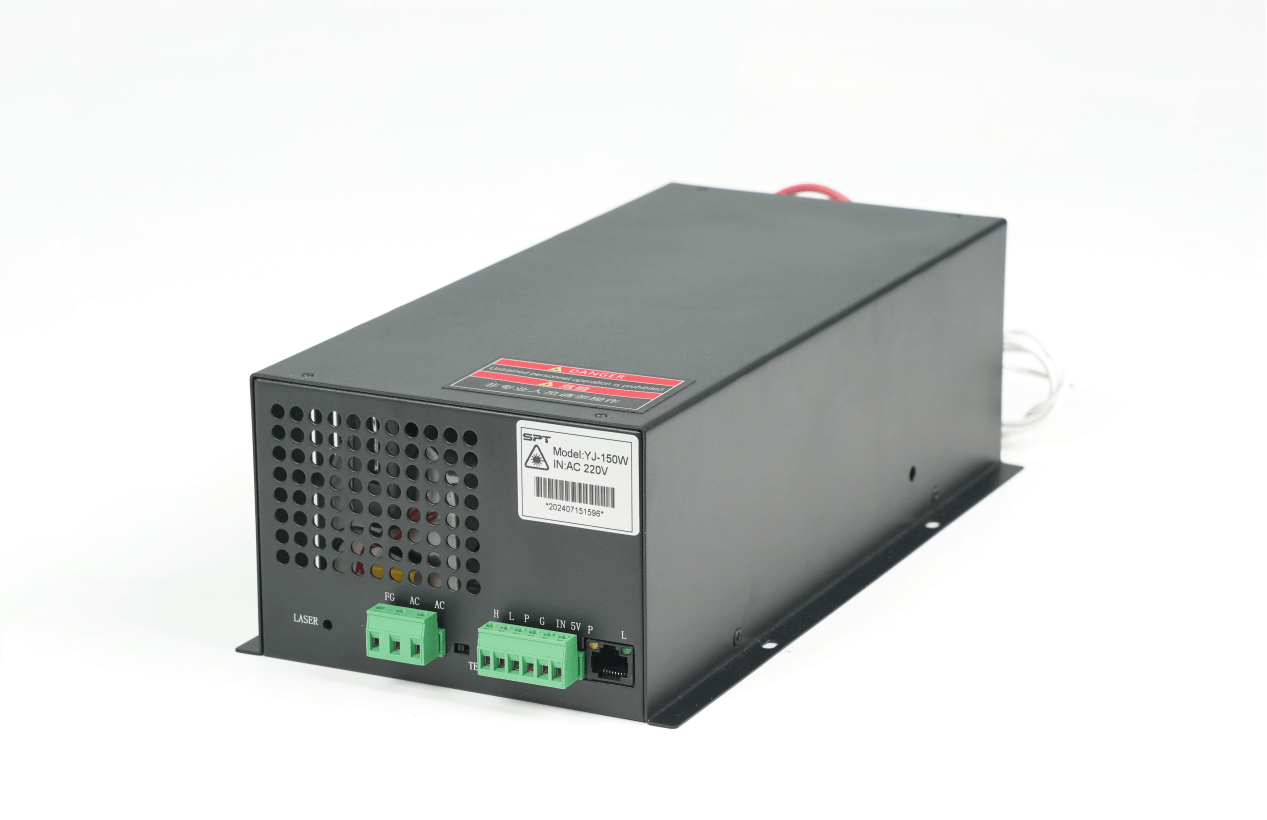
To extend the service life of your CO2 laser tube, keep the working current within the recommended range and avoid running at maximum current for long time. See the table below for reference:
|
Specification |
Recommended Current |
Maximum Working Current |
|
≤40W |
10~12mA |
≤15mA |
|
50W~70W |
15~17mA |
≤18mA |
|
80W~100W |
20~22mA |
≤24mA |
|
130W~150W |
23~25mA |
≤28mA |
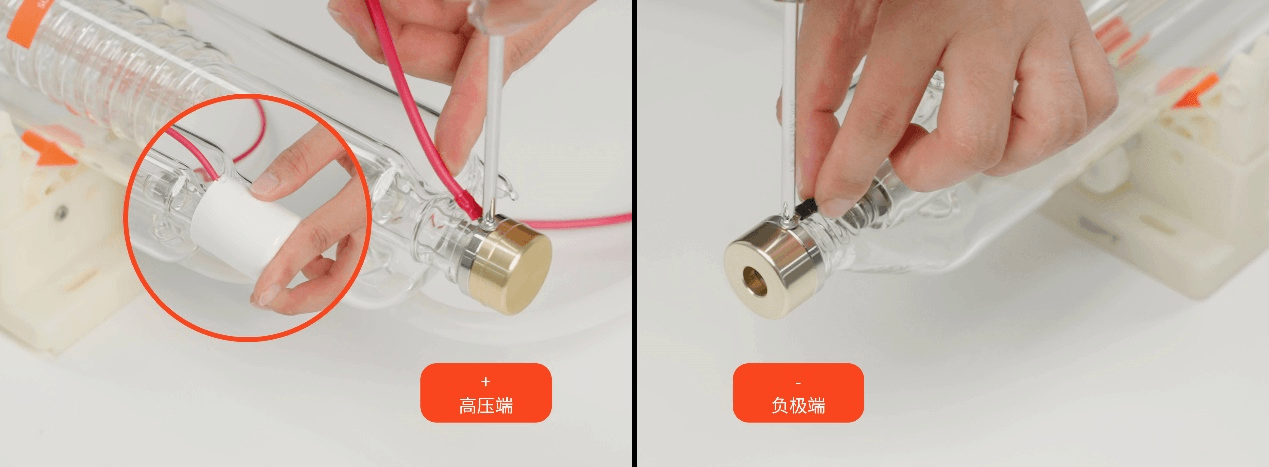
Loosen the screws on the positive and negative terminals of the CO2 laser tube. Connect the high voltage line of the laser power supply to the terminal of the high voltage end of the laser tube, and connect the negative line to the terminal of the negative voltage. Lightly press the cap (that is made of plastic and used to prevent electric shock) to fix it.
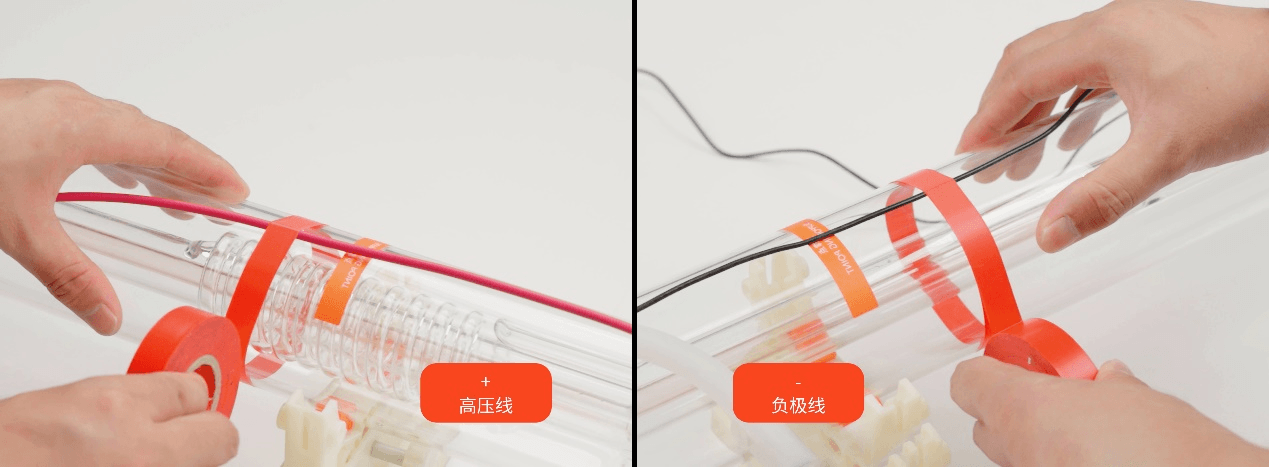
Sort out the positive and negative leads and fix them to the CO2 laser tube or the equipment.
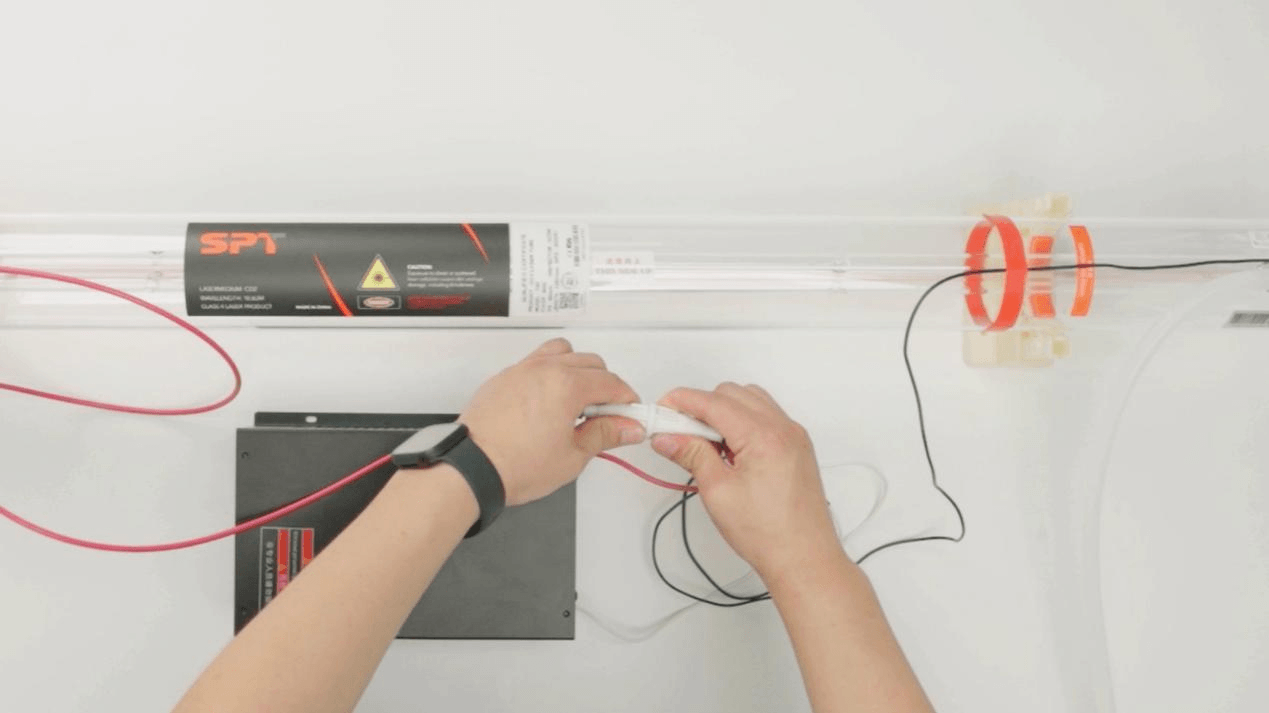
Finally, connect the high-voltage quick connector that comes with the laser power supply.
Step 4 | Testing the Water Chiller
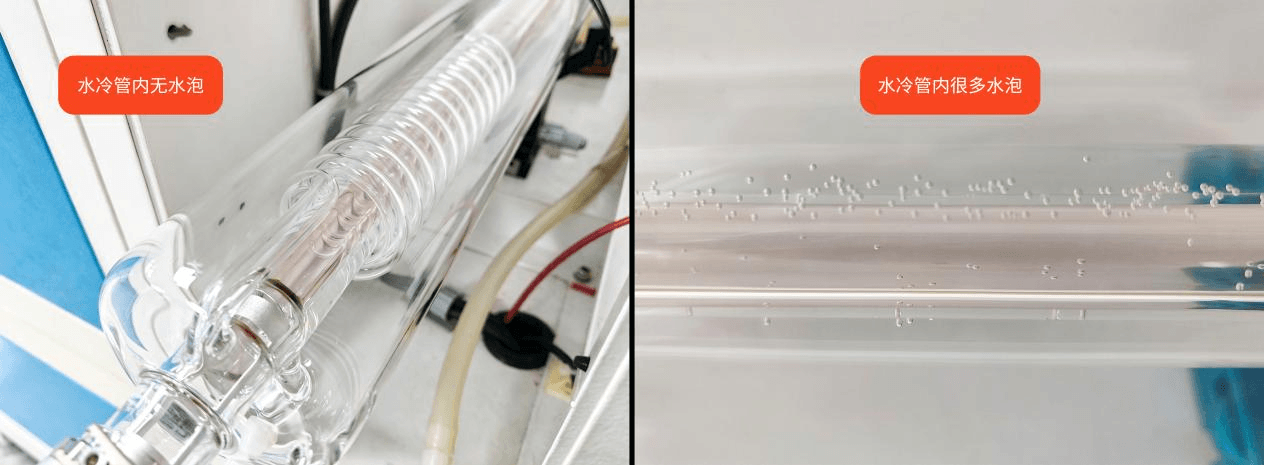
After the installation is complete, turn on the water chiller to test. Make sure that the water in the glass laser tube is full and there are no bubbles. Then the laser beam will be emitted.
Before using the CO2 laser tube for the first time, the optical path must be properly aligned. For optical alignment instructions, please refer to the CO2 laser tube optical path adjustment steps article.